U ovoj temi mozete da pisete o stvarima koje su vezane za podesavanja novog Windows-a i sta je to sto bi trebalo iskljuciti a odnosi se na automatsko slanje podataka Microsoft-ovom serveru - citaj, nije neophodno da prikupljaju bas sve podatke (iako ih je nemoguce u tome u potpunosti spreciti)...
Ovde je jedan "kraci" spisak koji se nalazi na net-u...koliko je koristan/pametan/neophodan, to mozemo da vidimo kroz diskusiju i razgovor u okviru ove teme...
Koliko je neophodno da se ove stavke ispostuju i koliko je mudro uklanjati neke od njih, to ostavljamo svakom na slobodnu procenu a bilo bi lepo da se pise bez paranoje i sa nekim razumnim objasnjenjima zasto nesto treba ili ne treba omoguciti...
Tema sluzi i za objasnjenja i drugih postavki, ne samo sigurnosnih, u novoj verziji Windows-a...
Ovde je jedan "kraci" spisak koji se nalazi na net-u...koliko je koristan/pametan/neophodan, to mozemo da vidimo kroz diskusiju i razgovor u okviru ove teme...
Kod:
Type in "Settings" and press enter.     We'll start with "System":
        Notifications & actions:
            Turn all of these sliders to off.
        Offline maps:
            Delete all maps, turn all sliders to off.
        Default apps:
            Change as needed.

    "Devices":
        Typing:
            Turn all sliders to off.
        Autoplay:
            Turn all sliders to off.

    "Network & Internet":
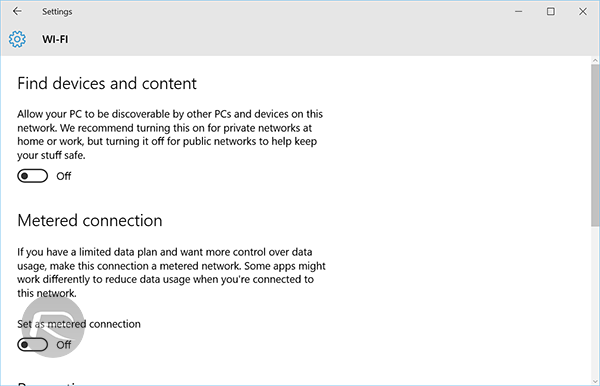
        Wi-Fi:
            Advanced Options:
                All sliders to off unless you have a metered connection, leave that one enabled if you do.
            Manage Wi-Fi settings:
                All sliders to off.
Kod:
 "Personalization":
        I personally disabled all of the options in Start, but this is optional. No botnet detected here.

    "Accounts":
        Unnecessary unless you are using a Microsoft account, which you really shouldn't.
        Remove it if you have one here.
    "Time & Language":
        Speech:
            Speech, inking, & typing privacy settings:
                Turn everything off in here.
    "Ease of Access":
        Couldn't find anything bot-netty in here.
Kod:
"Privacy":
        Oh boy.
        "General":
            All off.
        "Location":
            All off and clear history.
        "Camera":
            All off.
        "Microphone":
            All off.
        "Speech, inking, & typing":
            Already did this, but if you haven't, turn everything off in here.
        "Account info":
            All off.
        "Contacts":
            All off.
        "Calendar":
            All off.
        "Messaging":
            All off. (Seriously, what the fuck is this setting?)
        "Radios":
            All off.
        "Other Devices":
            All off.
Kod:
"Feedback & diagnostics":
            "Feedback Frequency":
                Never.
            "Diagnostic and usage data":
                For now, unless you have Enterprise, you can only set the level to "Basic".
                You can try to fuck around with the DiagTrack scripts listed below, but apparently there's no solution for non-Enterprise devices.
                Some people say it will still work despite showing a level of 1. Just have to wait on this one.

        "Background apps":
            All off.

    "Update & Security":
        Windows Update:
            Advanced Settings:
                Notify to schedule restart.
                Check defer upgrades.
        Windows Defender:
            Turn everything off, and see the special Windows Defender remover .cmd I link later on.
        Activation:
            Activate if you need to, otherwise follow the instructions I provided earlier for pirates.
        For developers:
            If you write Windows Phone, or Windows 8 or 10 apps, enable Developer mode.
            Otherwise don't fuck with it.
Kod:
Get rid of retarded "APPS":


    Open PowerShell with Admin privileges, enter
    Get-AppxPackage -AllUsers | Remove-AppxPackage

    -OR- for full debloat (all on one line)

    Get-AppxPackage -AllUsers | where {$_.name -notlike "*calc*" -AND
    $_.name -notlike "*store*" -AND $_.name -notlike "*onenote*" -AND
    $_.name -notlike "*NET.*" -AND $_.name -notlike "*VCLibs*" -AND
    $_.name -notlike "*Host*" -AND $_.name -notlike "*AccountsControl*"} | Remove-AppxPackage


Get rid of OneDrive:
    Use this batch file, run it.
    http://www62.zippyshare.com/d/IfLGZv7J/339/OneDrive%20Uninstaller%20v0.4.cmd


Get rid of Windows Defender:
    First set all of the sliders to off!
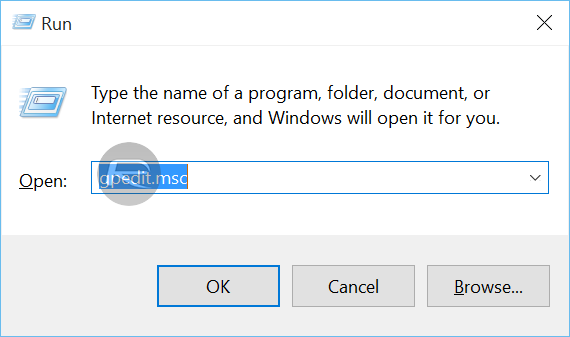
    Open Admin Command Prompt and type: gpedit.msc
    Manuever to: Computer Configuration->Administrative Templates->Windows Components->Windows Defender
    Double click on "Turn Off Windows Defender" and select "Enabled" then click "Apply"
Kod:
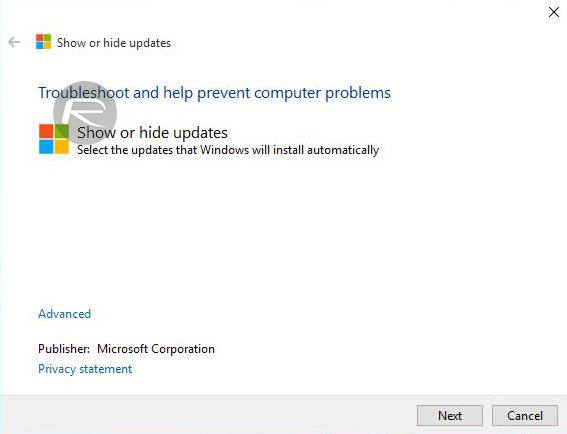
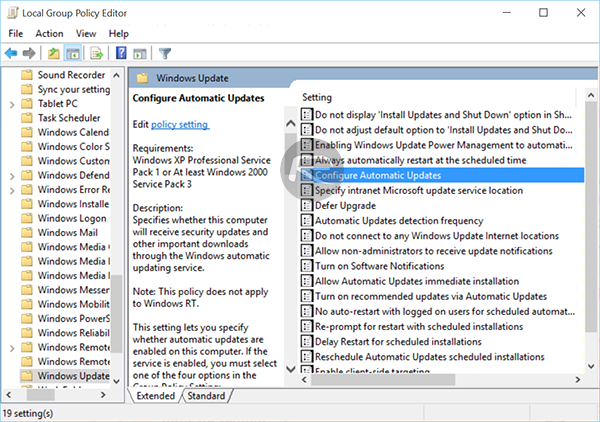
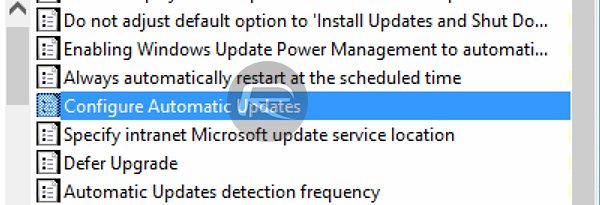
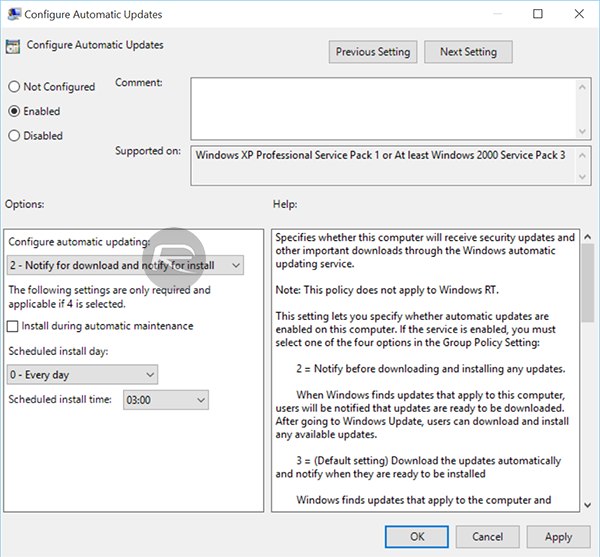
Disabled automatic Windows Updates:
    Open Admin Command Prompt and type: gpedit.msc
    Manuever to: Computer Configuration -> Administrative Templates -> Windows Components -> Windows Update
    Select it and select disable, apply and ok.

    Restart after.

Disable Telemetry:
    Open Admin Command Prompt and type: gpedit.msc
    Manuever to: Computer Configuration -> Administrative Templates -> Windows Components -> Data Collection and Telemetr
        Disable Telemetry.

Disable DiagTrack:
    Open an elevated Command Prompt
        sc stop dmwappushservice
        sc delete dmwappushservice
        sc delete DiagTrack
        sc delete dmwappushservice
        echo "" > C:\ProgramData\Microsoft\Diagnosis\ETLLogs\AutoLogger\AutoLogger-Diagtrack-Listener.etl
Kod:
Edit hosts file to disable botnet metrics:


    Navigate to C:\Windows\System32\drivers\etc
    Open the hosts file with some notepad editor like Notepad++ or Notepad or something non autistic
    Paste this pastebin below all of the commented section:
    https://gist.githubusercontent.com/anonymous/4f0dc9a7353ae86114df/raw/1c76fb6b283008100a9f328b6399e9ee1491c24c/hosts
    This stops the machine from sending packets back to MicroBOTNETSoft
    If you ever need to access a site in there, just open up the hosts file again, CTRL+F the URL and delete the entry.


    If you want only pure telemetry:
    http://pastebin.com/raw.php?i=7YvKJvVu


"Something Happened" error:
    Change your language to English (US).
    Control Panel -> Clock, Language, and Region -> Region -> Administrative -> Change system locale
Koliko je neophodno da se ove stavke ispostuju i koliko je mudro uklanjati neke od njih, to ostavljamo svakom na slobodnu procenu a bilo bi lepo da se pise bez paranoje i sa nekim razumnim objasnjenjima zasto nesto treba ili ne treba omoguciti...
Tema sluzi i za objasnjenja i drugih postavki, ne samo sigurnosnih, u novoj verziji Windows-a...