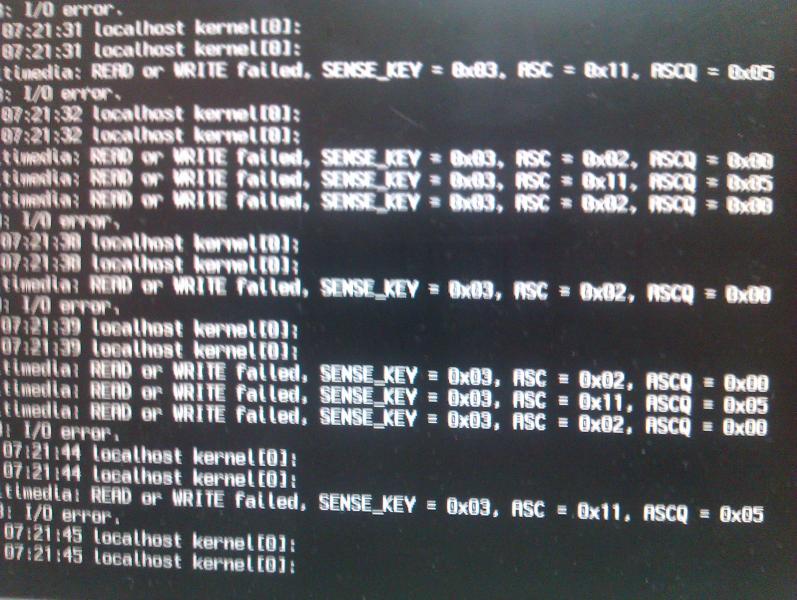
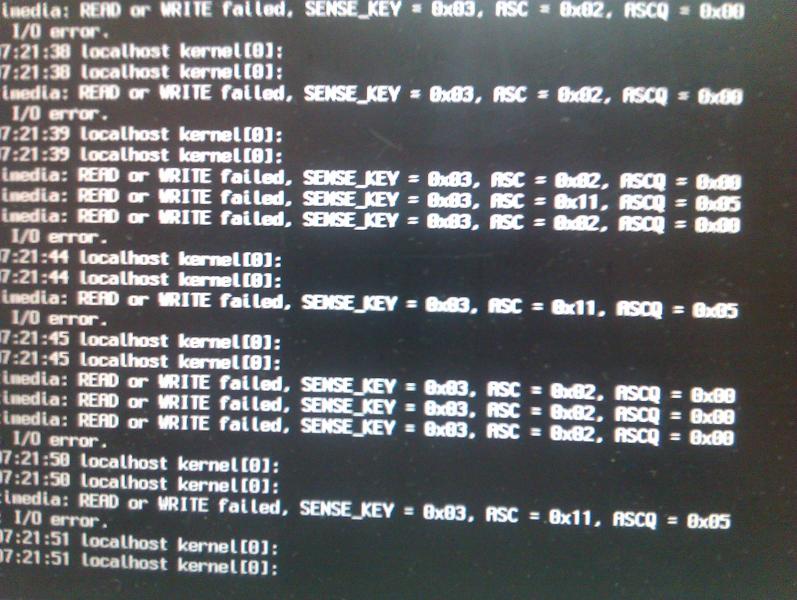
Pozzz ljudi!!!! Dobio sam na poklon PowerBook G4 i zelim da instaliram noviju verziju MAC na njega,ali mi javlja error na slici Znaci sa 10.4.11 na 10.5.x ali javljam mi redovno kada ubacim OS cd javlja greske! Molio bih za pomoc ili neki link gdje mogu za njega nabavit OSX pavi hvala unaprijed:)
On dodje do menija i sve... Ali kaze samo nemoze da instalira zato sto je 800 MHz procesor... Skino sam sa torenta 7.1 gigu rezo na najmanjoj brzini....
A u upustvima pise da ide preko 876 MHz
Mora da se odradi nešto iz Open Firmware prompta, evo uradiću copy/paste detaljnog uputstva na engleskom:
To install Leopard on an "unsupported" G4 clocked under 867 MHz:
1. Reboot your Mac and hold down the Cmd-Opt-O-F keys until you get a white screen with black text. This is the Open Firmware prompt.
2. Insert the Mac OS X Leopard Install DVD.
3. Type the following lines exactly as shown below into the Open Firmware prompt. Be mindful of capitalization, spaces, zeros, etc. If the command is properly typed and understood, Open Firmware will display "ok" at the end of each line after you hit "return". What these lines do is set the CPU speed reported by Open Firmware to OS X as an 867 MHz G4 processor system. They then continue the boot from the DVD drive.
For single CPUs, use the following three lines:
dev /cpus/PowerPC,G4@0
d# 867000000 encode-int " clock-frequency" property
boot cd:,\\:tbxi
For dual CPUs, use the following five lines:
dev /cpus/PowerPC,G4@0
d# 867000000 encode-int " clock-frequency" property
dev /cpus/PowerPC,G4@1
d# 867000000 encode-int " clock-frequency" property
boot cd:,\\:tbxi
4. Continue the install normally.
5. This CPU setting is only in effect until the Mac reboots. Once OS X Leopard is installed and your Mac has rebooted, the proper CPU speed should once again be displayed when you select About This Mac under the Apple menu

 Znaci sa 10.4.11 na 10.5.x ali javljam mi redovno kada ubacim OS cd javlja greske! Molio bih za pomoc ili neki link gdje mogu za njega nabavit OSX pavi
 hvala unaprijed:)